
As many of you know, WRSD is using Google Apps for Education in grades 1
through 12 this year. One of the easiest ways to introduce students to this
integrated environment is through the Google Classroom App. To go through
a tutorial on how to set up your virtual classroom in Google, go to
MPearson@wrsdsau59.org and I can help you get started.
To keep you up to date, I want to share some enhancements to Google
Classroom that were just released earlier this week.
|
|
Posted: 24 Aug 2015 11:51 AM PDT
As teachers gear up for the new school year, we’re adding a number of new features in
Google Classroom to help them save time, engage with students, and keep everyone organized. Most of these features are rolling out this week, with others coming soon. Keep students engaged with question-driven discussions Since Classroom launched last year, teachers have been using their class stream to host student debates, Q&A, and discussions. Starting today, they’ll be able to do this in a more collaborative way. They can post questions to their class and allow students to have discussions by responding to each other’s answers (or not, depending on the setting chosen). For example, teachers could post a video and ask students to answer a question about it, or post an article and ask them to write a paragraph in response. 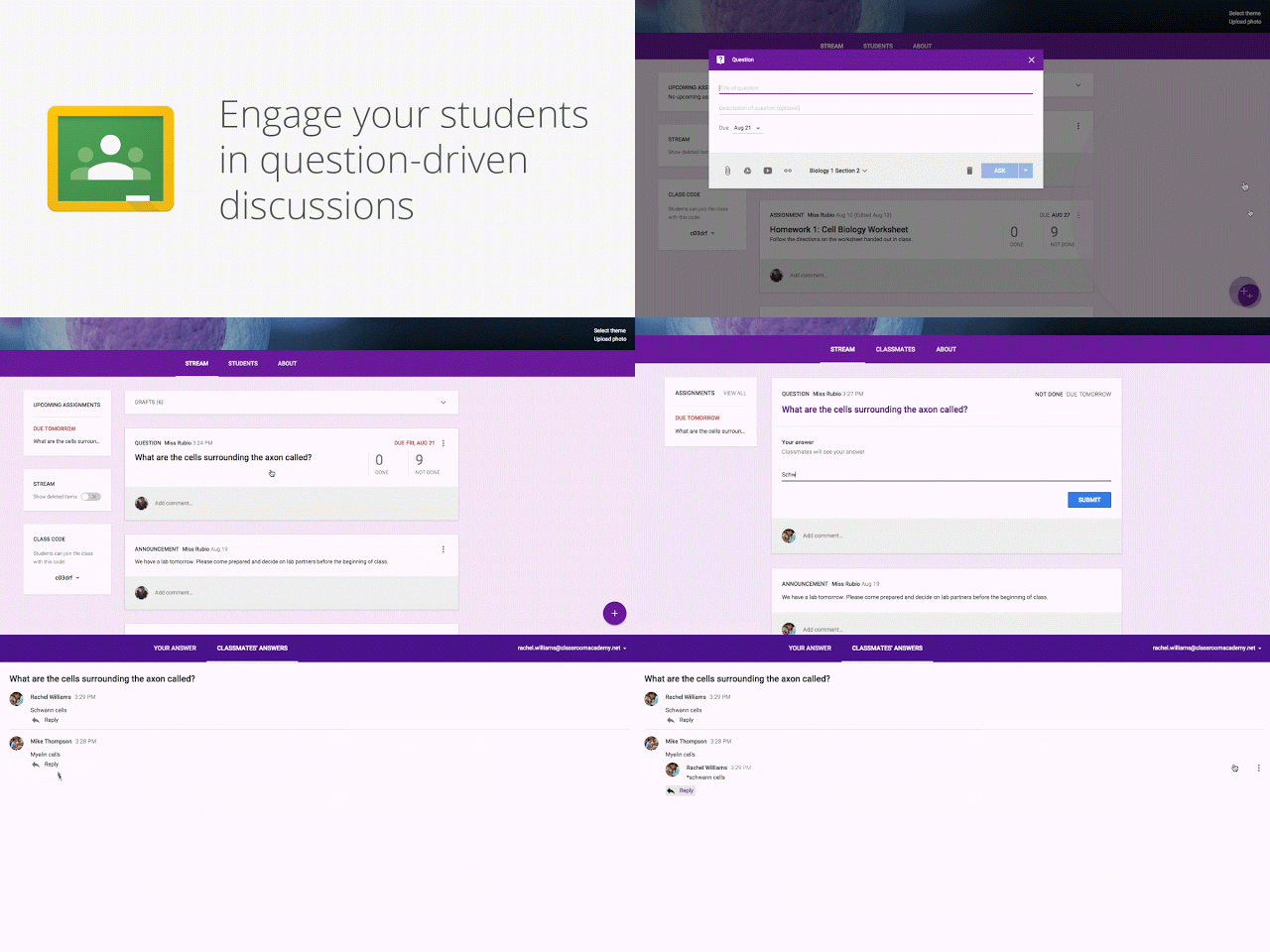 Teachers can now reuse assignments, announcements or questions from any one of their classes — or any class they co-teach, whether it’s from last year or last week. Once they choose what to copy, they’ll also be able to make changes before posting or assigning it. 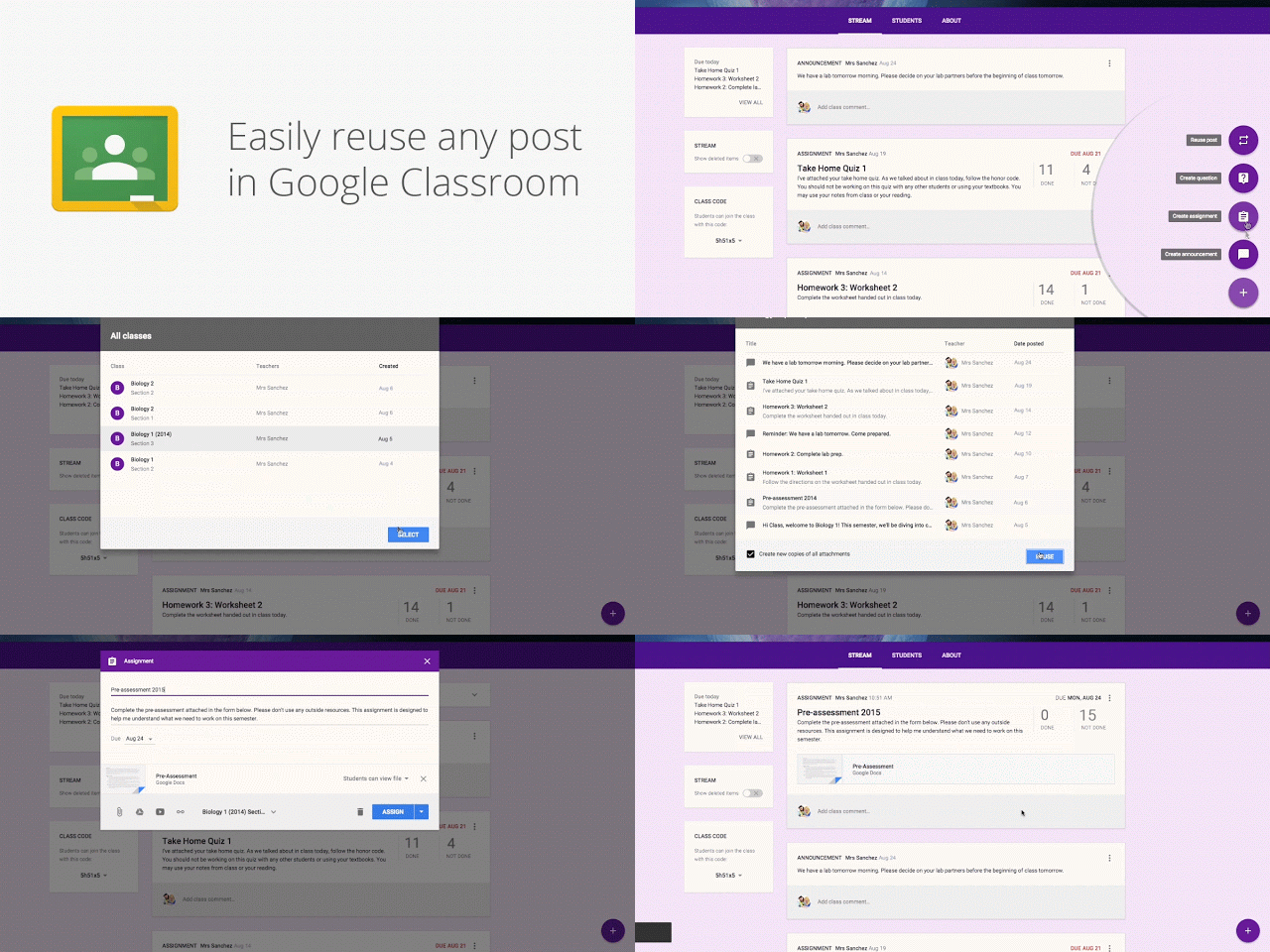 In the next month, Classroom will automatically create a calendar for each class in Google Calendar. All assignments with a due date will be automatically added to class calendars and kept up to date. Teachers will be able to view their calendar from within Classroom or on Google Calendar, where they can manually add class events like field trips or guest speakers. 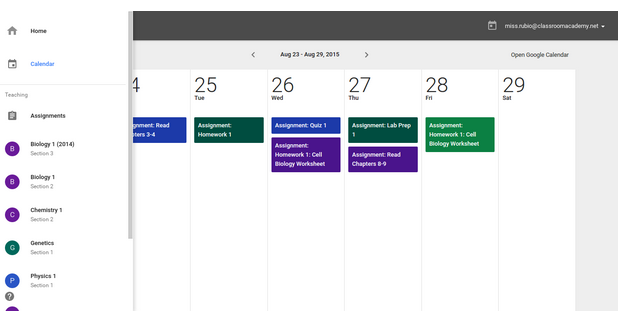 And a few more improvements based on teacher feedback:
|


No comments:
Post a Comment
Thanks for your feedback and making this blog a better place!