As we head toward 2020, check out recent episodes of EDU in
90 to hear about updates to Google Docs, Chrome, and more.
The Latest, December 2019
To wrap up season five of EDU
in 90, Tim and Morgan are back
with more updates from Google
for Education. Follow along as
they share the latest news on
Chrome, G Suite, and more!
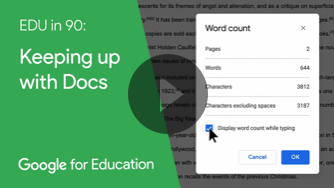
Keeping up with Docs
What’s up Docs? Quite a lot -
get schooled on Google Docs’
new Grammar suggestion tool,
streamlined word count feature,
and a new suite of typefaces
designed to boost reading speed
and comprehension.
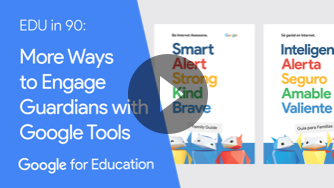
More Ways to Engage Guardians with Google Tools Looking for ways to connect with parents and guardians? On this episode of EDU in 90, Morgan and Tim share different resources that educators can leverage to engage parents and guardians. Join them as they dive into the features in Gmail, Hangouts Chat, and Be Internet Awesome.
Innovate with Google Drive Google Drive is a collaborative tool used by educators and students worldwide to securely save, store, and share their files. On this episode of EDU in 90, join Morgan and Tim as they share innovative recommendations from educators f
or using Google Drive.
Google LLC 1600 Amphitheatre Parkway, Mountain View, CA 94043
We sent you this email because you have indicated that you are willing to receive periodic emails on news, product updates, and invitations to events from the Google Cloud team. If you no longer wish to receive these emails, click on the following link to unsubscribe or customize your communication preferences.
Whether you're still preparing or already in the thick of it, we'll be sending over some Back to School Tips & Tricks over the next few weeks to make the 2019 - 2020 school year the best one yet! Let's get started with 5 FUN things you can do with your document camera:
1. A Fantastic Blended Learning Tool
Are you tired of repeating your mini lessons when practicing group-based learning? Maybe you've found a solution in painstakingly crafting handouts for each group that deliver the curriculum for you. But is this really saving you time?
If you have a document camera sitting around, you could outsmart this hassle by using it to record your mini lessons. Just set up your computer with the recorded explanation, and violà! And if you have access to multiple computers, try recording a mini lesson for each group or station. This will automate your entire lesson, giving you the freedom to float around as additional support where needed.
2. Make a Classroom Vlog
Thanks to platforms like YouTube, millions of creators are now able to share their passions and experiences with the world. And there's a good chance some (if not all) of your students spend hours of their weekly free time on YouTube. In fact, 81% of US parentsuse YouTube to find content for their children.
A classroom vlog (or video log) is a great way to create a digital portfolio of memories for your students, their parents, and yourself!* Use your document camera to record highlights, scan your student's best work, or let your students create their own segments! And if you're using a Solo 8Plus Document Camera, try using the SlingShot tool to drag and drop content into your favorite programs.
*Just make sure you're not posting these videos publicly for student privacy concerns.
3. Show Manipulatives
Many teachers use manipulatives to drive home simple mathematic concepts for younger students. But sometimes there're not enough sets (or time) for every student to benefit from this hands-on developmental approach.
Consider using your document camera for a live demonstration of the concept as you explain the concept behind it. This will allow every student to see what you're doing on your classroom display. Plus, instead of buying the same manipulative set for each student, this approach allows you to buy several different sets to demonstrate various mathematical concepts.
4. Your Classroom WebCam
It's no secret that students get engaged and excited when you bring in guest speakers such as artists, scientists, or police officers - but travel and scheduling can make these opportunities few and far between.
By combining your document camera with video conferencing software (like Skype, Google Hangouts, or Zoom), you can inspire your students by connecting them with their favorite heroes - no matter the distance! Plus, you can use this same approach to connect your students with their penpals and sister-schools. What a small world!
5. Go Wireless!
Tired of being stuck at your corner desk, AV cart, or interactive panel? Try purchasing a bluetooth mouse and operate your document camera from anywhere in the classroom!
And if your document camera's software includes annotation abilities, you can use a bluetooth mouse to annotate over live or captured media from anywhere in the classroom. Talk about a simple solution to "unstick" yourself from the front of the room!
As summer break approaches, so does summer learning loss for many students. Share PLTW’s list of summer STEM activities with your students and their parents to help ensure STEM skills stay sharp! Learn More